
Swimlane Diagram Generator
Describe a process in plain language — the AI works out who performs each step and draws a lane for every role automatically.
No dragging lanes around a canvas. Works in your browser. One free try, no sign-in. 3 more after a free account. Export as PNG, SVG, or PDF.
How it works
Describe the Process
Write it the way you'd explain it: “the technician logs the sample, then the supervisor signs off”
AI Draws the Lanes
Each role becomes a lane, each step lands in the right lane, and handoffs flow left to right in shared columns
Edit & Export
Refine labels, colors, and shapes in the editor, then export your swimlane diagram for docs, wikis, or print
Example Swimlane Diagrams
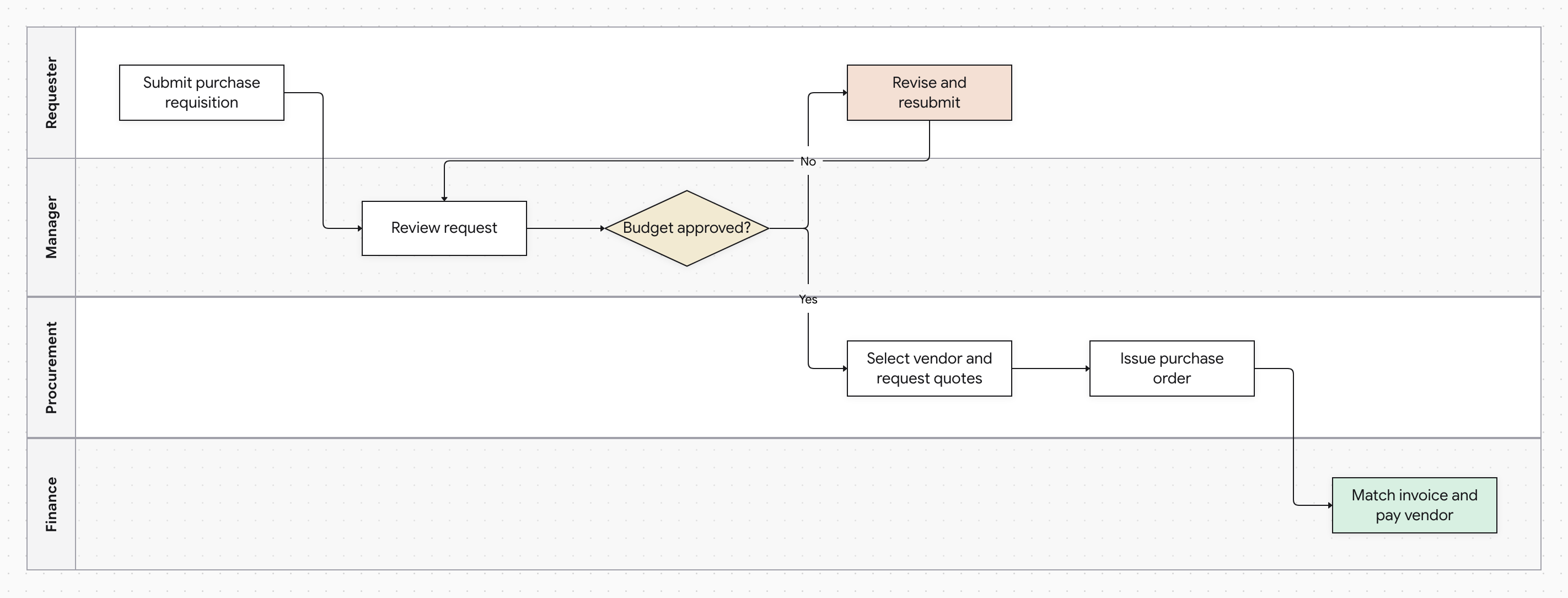
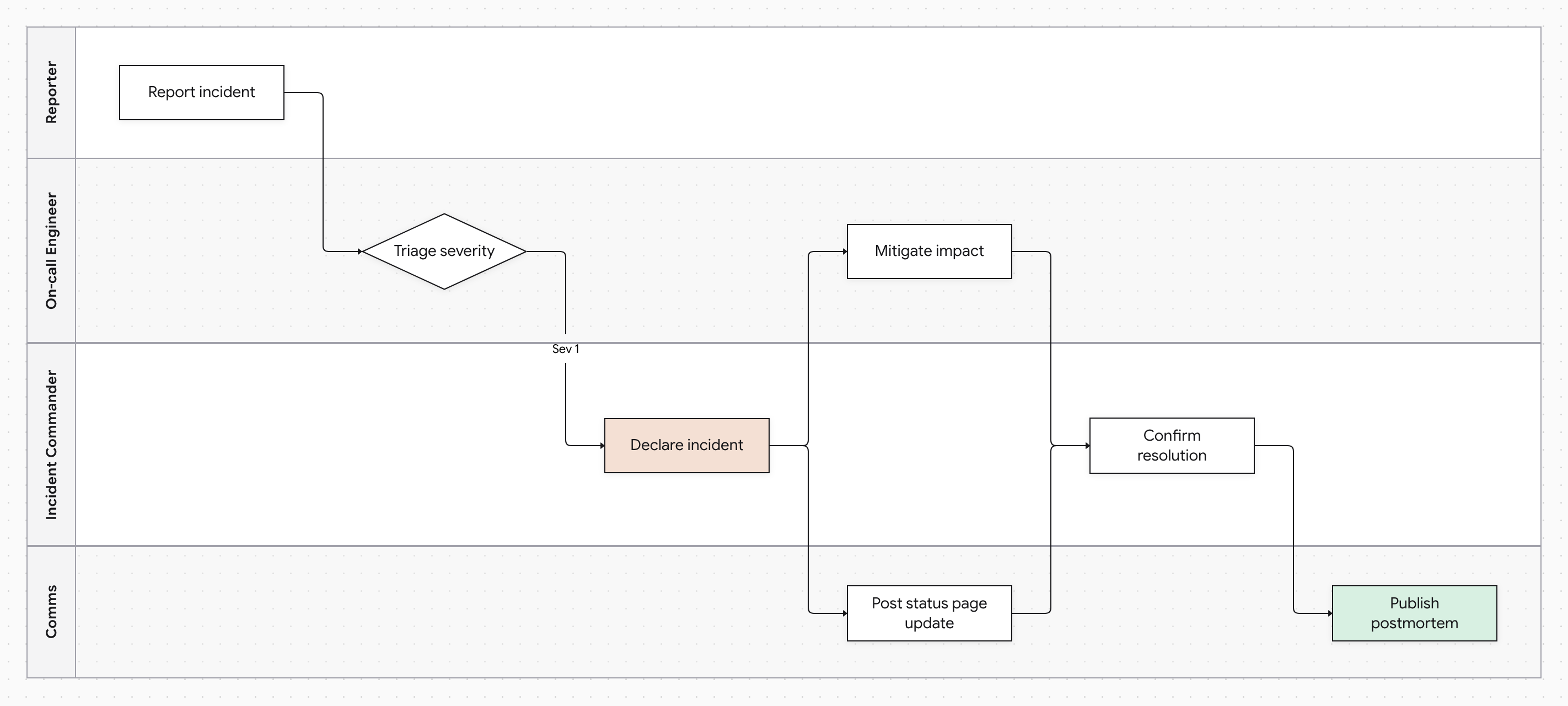
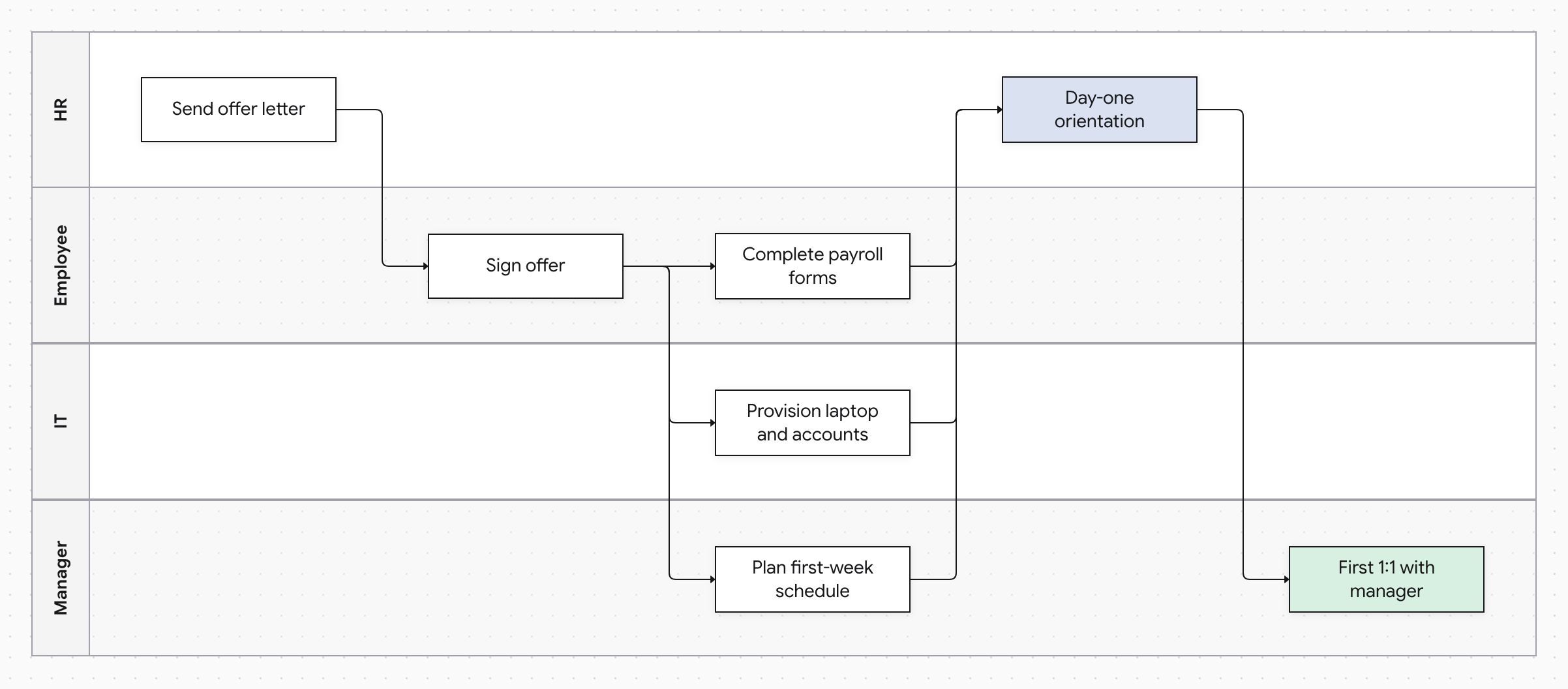
A swimlane diagram answers the question a plain flowchart can't: who does what? Every role, person, department, or system gets a horizontal lane, every step sits in the lane of the actor who performs it, and every handoff is visible as a line crossing a lane boundary. That makes swimlanes the standard format for SOPs, approval workflows, and any process where work moves between people.
Building one by hand is the tedious part — sizing lanes, aligning steps into columns, and re-routing every arrow each time the process changes. Docugram generates the whole thing from a written description: it identifies the actors in your text, assigns each step to a lane, aligns steps into shared columns so handoffs read left to right, and routes decision branches and rework loops cleanly around the diagram. When the process changes, edit the text or the diagram directly — no manual lane surgery.
Frequently Asked Questions
How does it decide which lane a step belongs to?
The AI reads the actor out of your prose — “the manager reviews the request” puts that step in a Manager lane. Steps that don't name an actor stay in the same lane as the step before them, which matches how procedures are usually written.
What if my process only involves one person?
Swimlanes need at least two distinct roles to be useful, so a single-actor process is rendered as a standard flowchart instead. Add a second role to the description and the lanes appear.
Can I make a swimlane diagram in Mermaid?
Mermaid has no native swimlane flowchart, so people approximate them with subgraphs and manual styling. Docugram generates true swimlanes — full-width role lanes, shared step columns, and routed handoffs — directly from a plain-language description.
Can I edit the diagram after it's generated?
Yes. The result opens in a full editor — rename steps, change shapes and colors, adjust edges, and export as PNG, SVG, or PDF when you're done.
Documenting a standard operating procedure? Try our SOP flowchart generator
Mapping handoffs between departments? Try our cross-functional flowchart maker
Want the general-purpose tool? Try our flowchart generator from text
Draw Your First Swimlane Diagram
Describe the process, and get lanes, steps, and handoffs drawn for you. Free to start — 3 generations on signup.
Open the editor