
Document business processes 10× faster — paste your SOP, get an editable flowchart
Built for process analysts who document and re-document SOPs, procurement, onboarding, and compliance workflows. Paste your process in plain text and Docugram builds an editable flowchart in seconds.
When the process changes, paste the new version and re-diagram in one step — no redrawing from scratch. Create a free account and get 3 free flowchart generations. Export as PNG, SVG, or PDF.
How It Works
Describe Your Process
Write your process in plain text — steps, decisions, and outcomes
AI Identifies the Flow
Our AI identifies the flow, decision points, and parallel paths
Edit & Export
Edit, customize, and export your process flowchart as PNG, SVG, or PDF
Common processes analysts document
These are the workflows process analysts map and re-map most often. Each one starts an editable diagram — adapt it to how your organization actually runs.
Order-to-cash
The order-to-cash process covers every step from a customer placing an order to the business collecting payment. It typically includes order entry, credit check, fulfillment, invoicing, and cash application. Process analysts map order-to-cash to expose handoff delays between sales, the warehouse, and finance.
Try this templateProcure-to-pay
Procure-to-pay runs from identifying a purchasing need to paying the supplier. Core steps are requisition, purchase-order approval, goods receipt, invoice matching (two- or three-way match), and payment. Documenting it clarifies approval thresholds and the controls that prevent duplicate or unauthorized payments.
Try this templateEmployee onboarding
Employee onboarding is the sequence a new hire moves through from signed offer to fully productive. It usually spans IT provisioning, payroll and benefits enrollment, compliance training, and manager check-ins across the first 30, 60, and 90 days. Mapping it stops accounts, equipment, and paperwork from slipping through the cracks.
Try this templateQC / compliance checks
Quality-control and compliance checks verify that a product, batch, or process meets defined standards before it moves forward. The flow covers sampling or inspection, pass/fail decision points, non-conformance handling, corrective action, and sign-off. Analysts document these to keep audit trails consistent and defensible.
Try this templateVendor approval
Vendor approval is the process of vetting and onboarding a new supplier before the company can transact with them. Steps include request submission, due-diligence and risk review, document collection (tax, insurance, certifications), approval by procurement or legal, and setup in the vendor master. Documenting it shortens onboarding and keeps unvetted vendors out of the system.
Try this templateChange management
Change management governs how a proposed change to a system, process, or product is requested, assessed, approved, and implemented. It typically includes a change request, impact and risk assessment, approval by a change advisory board, scheduled implementation, and a post-change review. Mapping it keeps changes controlled and reversible.
Try this templateIncident response
Incident response is the workflow a team follows when a service disruption, security event, or quality failure occurs. It covers detection, triage and severity classification, containment, resolution, and a post-incident review or root-cause analysis. Analysts document it so responders act consistently under pressure.
Try this templateCustomer refund
The customer refund process handles a request to return money for a returned product or a service issue. It runs from refund request through eligibility and policy check, approval, payment reversal, and customer notification. Documenting it keeps refund decisions consistent and reconcilable against finance records.
Try this templateExample Process Flowcharts
See what you can create with Docugram
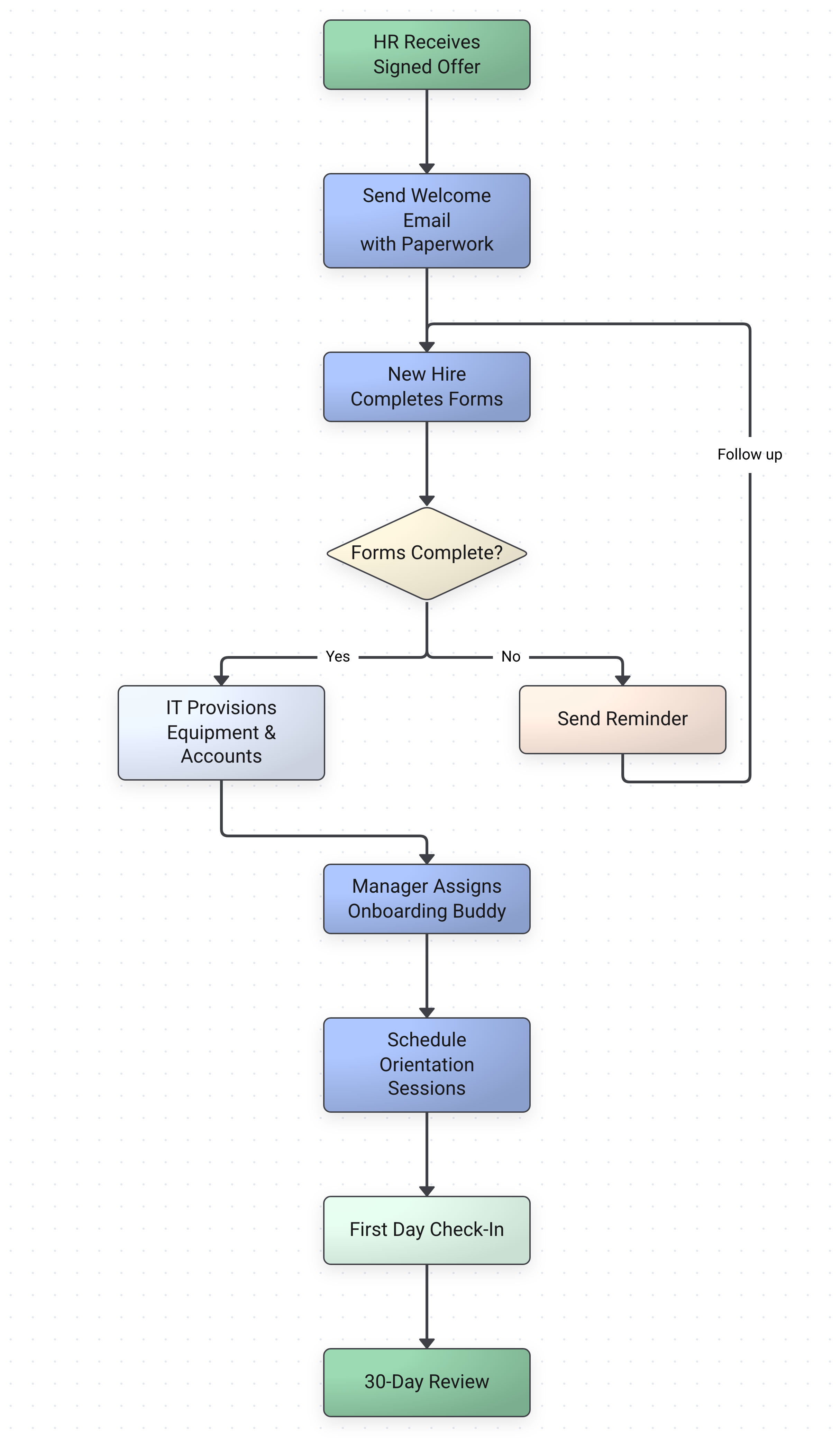
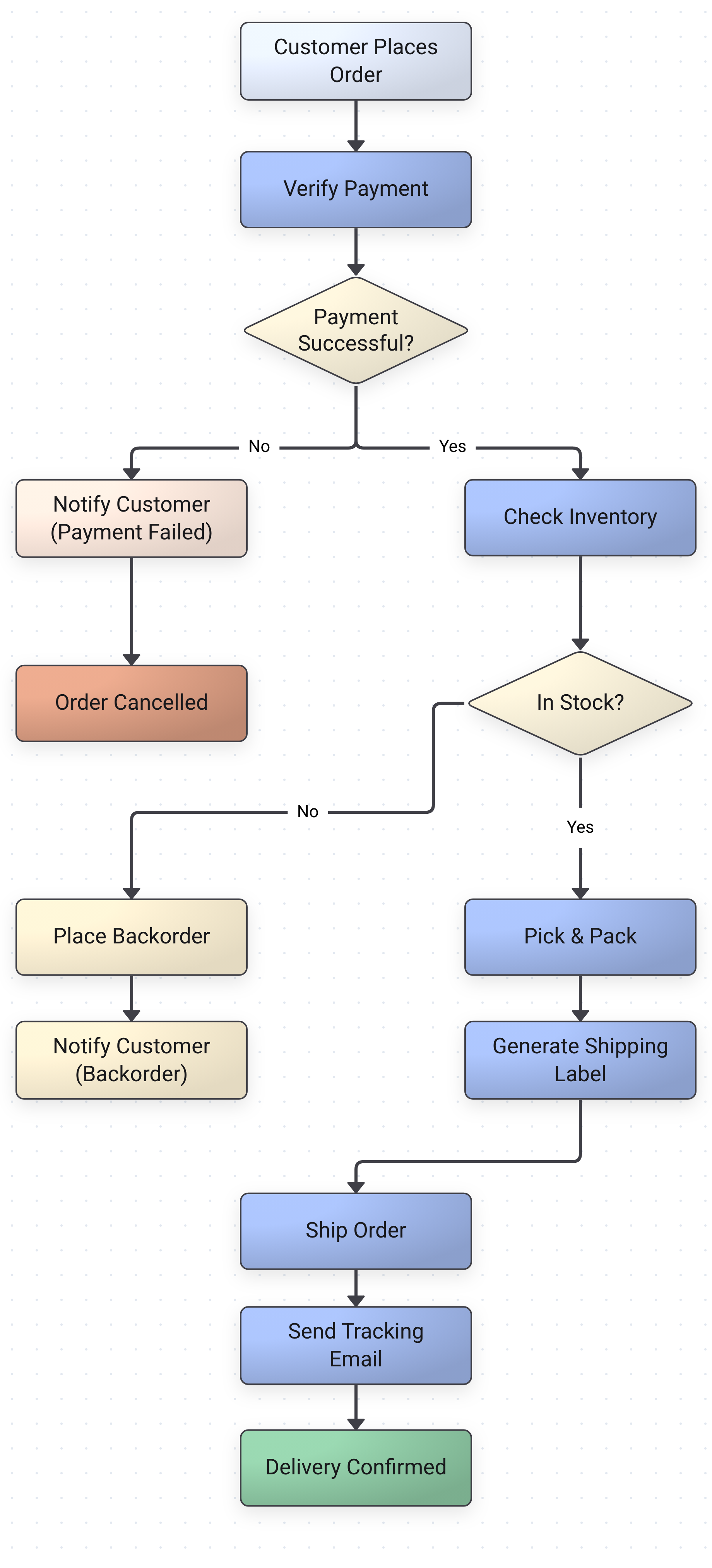
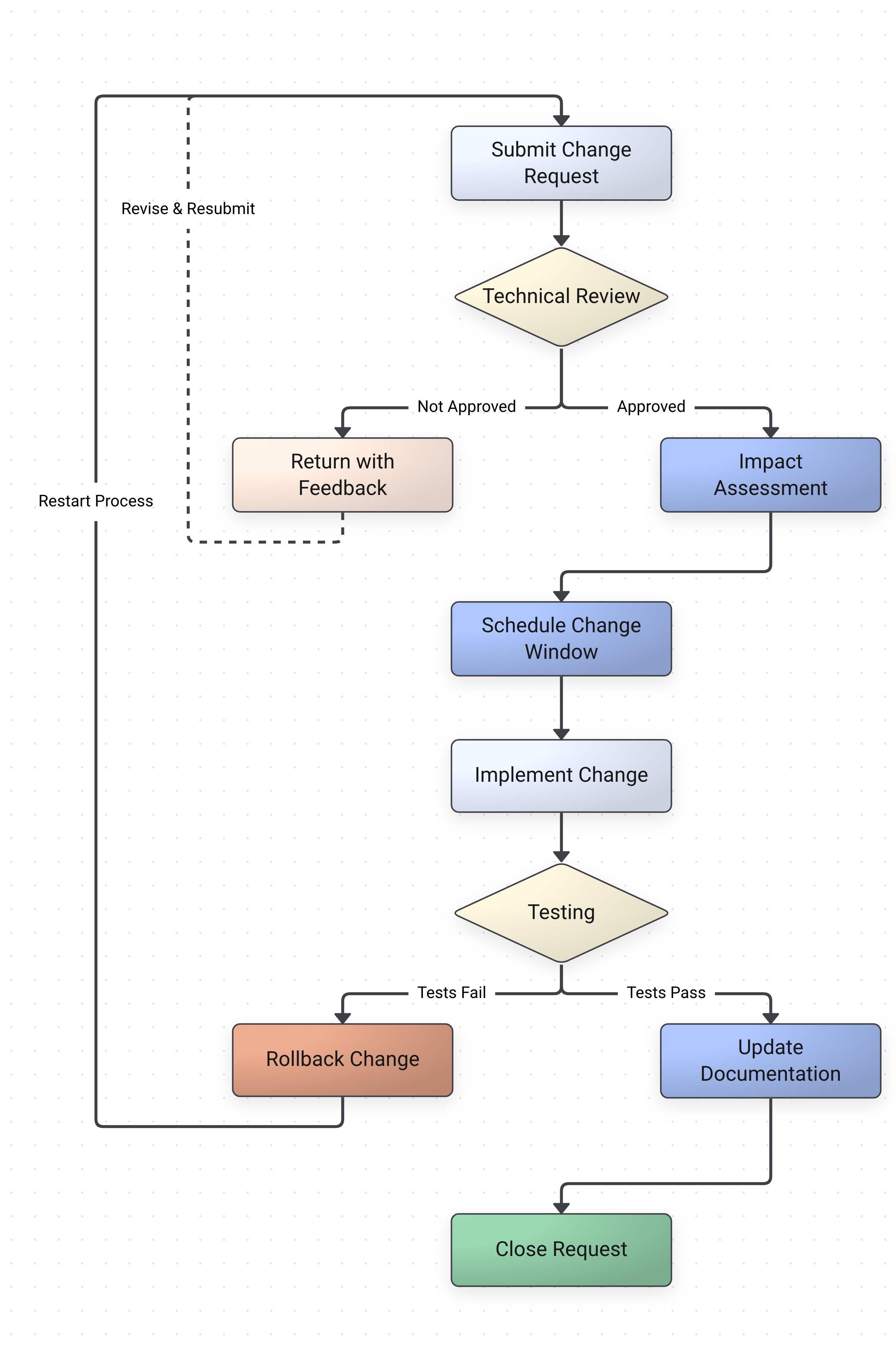
Whether you're documenting an employee onboarding workflow, mapping out an approval process, or visualizing a manufacturing pipeline, process flowcharts make complex operations clear at a glance. Traditional diagramming tools require you to manually drag boxes and draw connections — our AI reads your process description and builds the diagram for you.
Docugram's process flowchart generator works with any level of detail. Paste a quick 5-step summary or a detailed multi-stage procedure with decision branches, and the AI adapts. Teams use it to document SOPs, create training materials, prepare compliance documentation, and communicate workflows to stakeholders who don't have time to read a 10-page document.
Frequently Asked Questions
What format should my process description be in?
Any format works — numbered steps, bullet points, paragraph descriptions, or even rough notes. The AI identifies processes, decision points, and sequences automatically.
Can it handle processes with decision branches?
Yes. Describe your conditions naturally (e.g., "if approved, proceed to step 4; if rejected, return to step 2") and the AI creates the appropriate branching flowchart.
Can I edit the generated process flowchart?
Absolutely. After generation, you can move nodes, edit text, change colors and shapes, add or remove connections, and export in multiple formats.
Is it free?
Create a free account and get 3 free flowchart generations. After that, Pro plans start at $5/month for unlimited diagrams.
Looking to convert an existing document? Try our document to flowchart converter
Need to visualize standard operating procedures? Try our SOP flowchart generator
Want a general-purpose tool? Try our flowchart generator from text
See also: converting raw text to diagrams — read the convert text to diagram guide
Start Mapping Your Processes
Paste your process description and get an editable flowchart. When the process changes, re-paste and re-diagram in seconds.
Open the editor