
Flowchart Generator from Text
Paste any text — meeting notes, process descriptions, SOPs — and get an editable flowchart. The AI identifies steps and structure, then generates a diagram you can customize.
Works in your browser. One free try, no sign-in. 3 more after a free account. Export as PNG, SVG, or PDF.
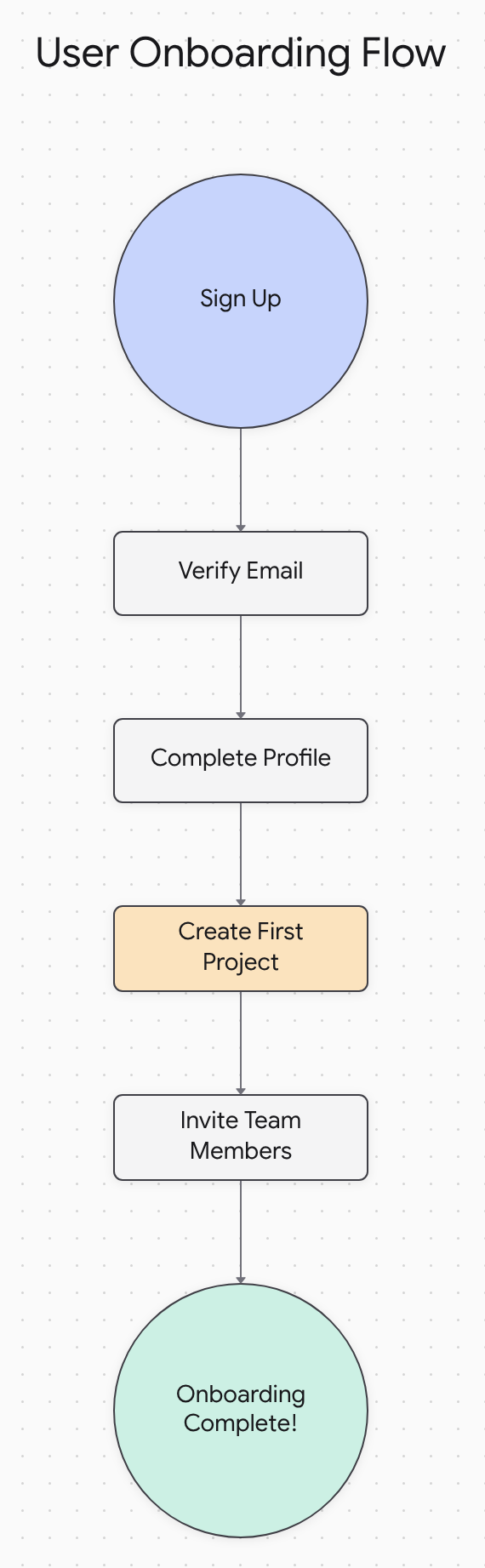
Example: User onboarding flow generated from text
Drop File, Auto-Layout
Upload any text document or paste content directly. Professional diagrams with automatic layout optimization.
Visualize Instantly
AI-powered analysis identifies processes, decisions, and workflows in your text, creating clear visual representations in seconds.
Enhanced Productivity
Transform complex text into visual clarity. Improve comprehension, identify gaps, and streamline communication.
Why use our AI flowchart generator?
- Automatic layout optimization: No more dragging boxes or adjusting arrows manually. Our generate flowchart from text feature creates perfectly aligned diagrams instantly.
- Time savings: Transform hours of manual diagramming into seconds of automated generation. Our flowchart generator AI understands your content structure instantly.
- No coding required: Simply paste your text, outline, or document content. Our AI creates professional flowcharts without any technical knowledge needed.
- Enhanced accuracy: Advanced natural language processing ensures your flowcharts accurately represent the processes, decisions, and workflows described in your text.
- Free tier available: Generate flowcharts from text at no cost with our free tier — 3 diagram generations to get you started.
What is a Flowchart Generator from Text?
A flowchart generator from text is an AI-powered tool that automatically converts written documents into visual flowcharts. Instead of manually creating diagrams by dragging boxes and drawing arrows, you simply paste your text content and get an instant, professionally formatted flowchart.
This technology uses advanced natural language processing to understand the structure, processes, and relationships within your text documents. Whether you're working with meeting notes, project plans, standard operating procedures, or brainstorming documents, a flowchart generator from text transforms static text into dynamic visual workflows.
How to Convert Text to Flowchart
Three steps — from text document to professional flowchart.
- 1
Drop Your File
Upload any text document, PDF, or paste content directly.
- 2
AI Auto-Layout
Our AI analyzes your content and creates an optimal flowchart structure.
- 3
Visualize & Export
Get your professional flowchart ready for presentations and documentation.
Use Cases
How professionals use our flowchart generator from text.
Project Outlines
Transform project plans and timelines into visual flowcharts that show dependencies and milestones clearly.
SOPs & Procedures
Convert standard operating procedures into step-by-step visual workflows that teams can follow easily.
Brainstorm Documents
Turn brainstorming sessions and idea lists into structured flowcharts that reveal connections and priorities.
Meeting Notes
Transform meeting minutes with action items into visual workflows showing responsibility and deadlines.
Docugram vs. Other Tools
See why our flowchart generator from text outperforms traditional diagramming tools.
| Feature | Docugram | Draw.io | Lucidchart | Mermaid |
|---|---|---|---|---|
| AI-Powered Analysis | — | Limited | — | |
| Text Document Input | — | — | Code Only | |
| Instant Generation | — | — | — | |
| Auto-Layout | Basic | Limited | ||
| No Installation | — | |||
| Free Tier | Limited |
Ready for unlimited flowchart generation? Plans start at $5/month
Frequently Asked Questions
Can I use this with PDFs?
Yes! You can upload PDFs or Word documents directly to our flowchart generator from text. Our AI extracts and processes the content automatically.
Is it really automatic?
Absolutely! Our AI flowchart generator analyzes your text content and automatically creates the flowchart structure, connections, and layout. You can then customize the design if needed.
Do I need to install anything?
No installation required! Docugram is a web-based tool that works directly in your browser.
What text formats are supported?
We support plain text, Word documents (.docx), PDFs, Markdown files, and pasted content from any source.
Is it free?
Yes! Try your first flowchart with no sign-in. Create a free account to unlock 3 more. For unlimited generations, plans start at $5/month.
How do I convert notes into a flowchart?
Just paste your meeting notes, project notes, or any text content into Docugram. Our AI analyzes the structure and creates a visual flowchart showing the processes, decisions, and connections.
Related tools
Try it now
Paste your text and get a flowchart.
Open the editor