
Document to Flowchart Converter
Paste any document — meeting notes, specifications, procedures — and get a professional flowchart in seconds.
Works in your browser. One free try, no sign-in. 3 more after a free account. Export as PNG, SVG, or PDF.
How It Works
1. Paste Your Document
Paste your document content — SOPs, specs, project plans, meeting notes, or any structured text
2. AI Reads & Builds
Our AI reads the document, identifies processes and relationships, and builds a flowchart
3. Edit & Share
Edit the diagram, customize the look, and export or share with your team
Example Diagrams
See what Docugram generates from real document content
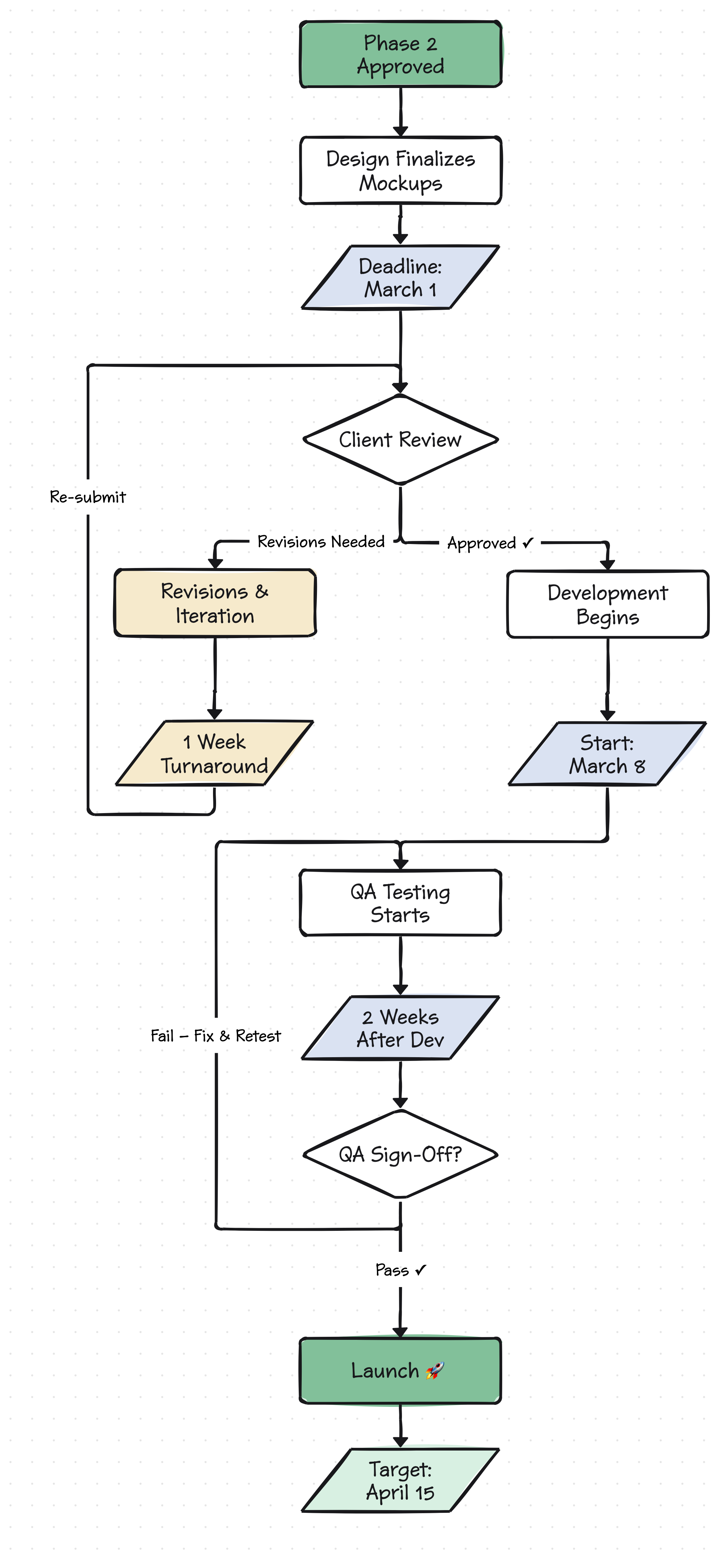
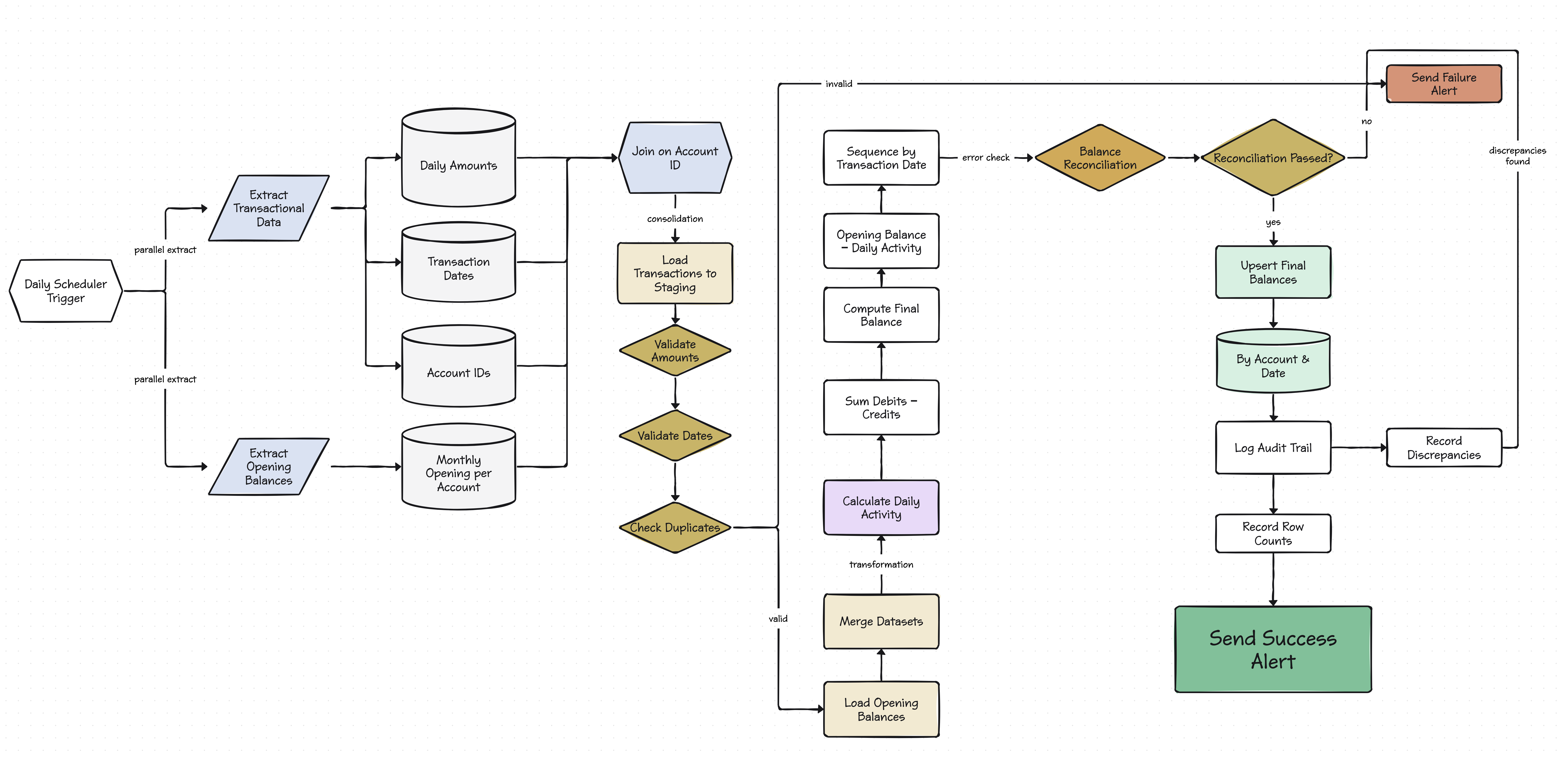
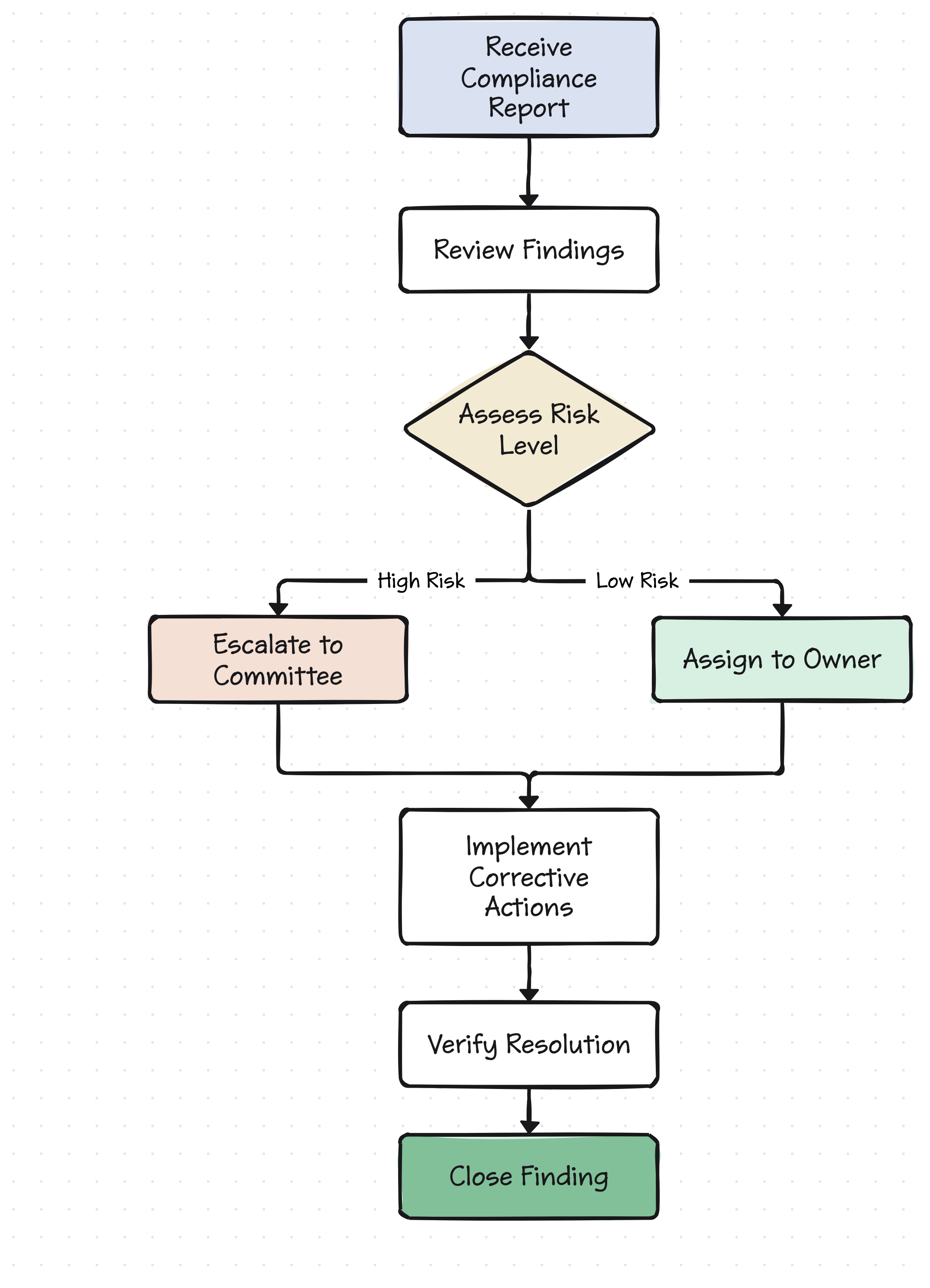
Long documents hide important processes in walls of text. A 12-page onboarding manual, a dense requirements spec, or a detailed meeting summary all contain workflows that are easier to understand as diagrams. Docugram's document-to-flowchart converter reads your document content and extracts the underlying process, turning it into a visual flowchart you can share, edit, and present.
This tool works especially well with structured documents — anything with numbered steps, bullet points, conditional logic, or sequential descriptions. Paste content from Word docs, PDFs, Google Docs, Confluence pages, or any other source. The AI handles the layout and connections so you can focus on whether the diagram accurately represents the process.
Frequently Asked Questions
What types of documents work best?
Any document with a process or sequence works well — SOPs, requirements docs, project plans, meeting minutes with action items, technical specifications, and compliance procedures.
Can I paste content from a PDF or Word document?
Yes. Copy the text from any document and paste it directly into Docugram. The AI works with the text content regardless of the original format.
How long can the document be?
Docugram handles documents of any reasonable length. For very long documents, you may get better results by focusing on one process or section at a time.
Will it capture decision points and branches?
Yes. When your document describes conditions (‘if X, then Y; otherwise Z’), the AI creates appropriate decision nodes and branching paths in the flowchart.
Working with a specific business process? Try our process flowchart generator
Converting standard operating procedures? Try our SOP flowchart generator
Prefer to type from scratch? Try our text to flowchart converter
Convert Your Documents Now
Paste your document and get a flowchart. Free to start — 3 generations on signup.
Try it free