
Text to Workflow Diagram
Paste a process description and get a workflow diagram. The AI identifies tasks, handoffs, and decision points, then generates an editable visual you can customize.
Good for SOPs, onboarding processes, approval flows, and team procedures. Export as PNG, SVG, or PDF.
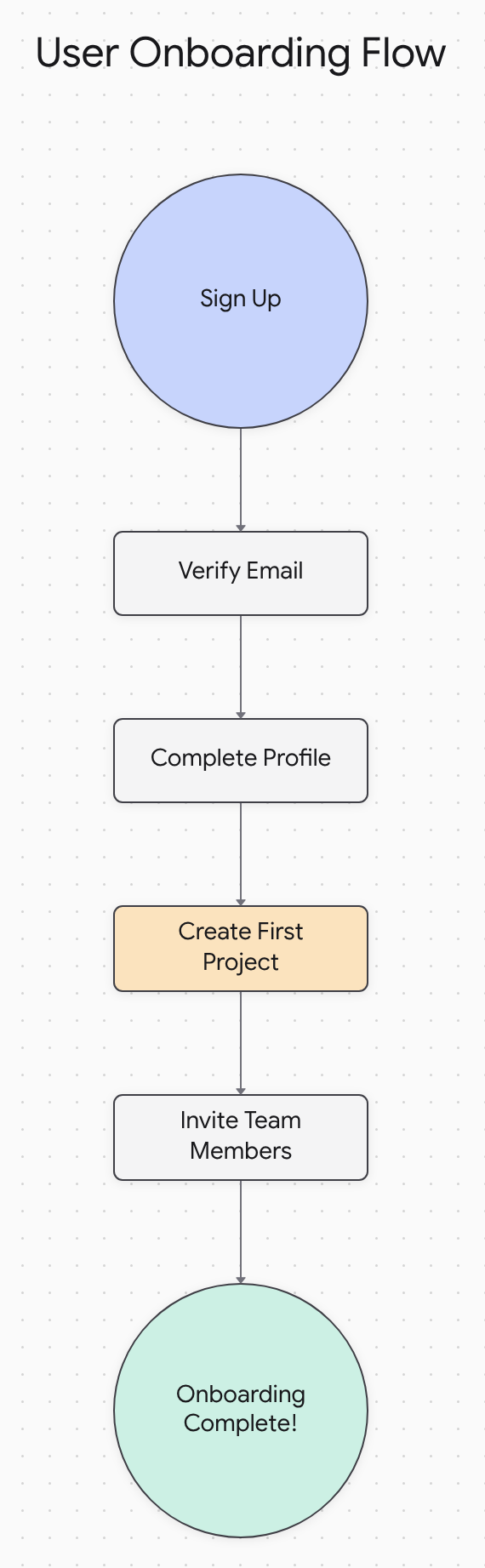
Example: Onboarding workflow generated from text
Paste Process Text
Simply paste your process description, procedure, or workflow notes. Our AI understands business processes naturally.
Instant Workflow
Get a professional workflow diagram in seconds. No manual diagramming or design skills required.
Business-Ready Output
Generate professional workflow diagrams ready for presentations, documentation, and team training.
Why "Workflow" Instead of "Flowchart"?
Business users think in terms of workflows, not flowcharts
Workflows Focus On
- • Business processes and procedures
- • Team responsibilities and handoffs
- • Task sequences and dependencies
- • Approvals and decision gates
- • End-to-end process visibility
Perfect For
- • Project managers documenting processes
- • HR teams creating onboarding workflows
- • Operations teams standardizing procedures
- • Business analysts mapping processes
- • Team leads visualizing task flows
Text to Workflow Use Cases
See how professionals use our text to workflow tool
Business Processes
Transform business process descriptions into clear workflow diagrams that show tasks, responsibilities, and handoffs.
Team Workflows
Convert team procedures into visual workflows showing who does what and how work flows between team members.
Operational Procedures
Turn operational guidelines into step-by-step workflow diagrams for consistent execution.
How to Convert Text to Workflow Diagram
Three simple steps to transform your process descriptions into visual workflows
Describe Your Process
Paste your process description, procedure text, or workflow notes. Write naturally—our AI understands business language.
AI Generates Workflow
Our AI identifies tasks, responsibilities, decision points, and handoffs to create a professional workflow diagram.
Refine & Share
Customize your workflow diagram, then export for presentations, documentation, or team training materials.
Benefits of Text to Workflow Conversion
Faster Process Documentation
Convert written procedures into visual workflows in seconds, not hours of manual diagramming.
Improved Team Alignment
Visual workflows help teams understand who does what, reducing confusion and improving handoffs.
Better Training Materials
Create visual training materials from process documentation to onboard new team members faster.
Text to Workflow Benefits
Text to Workflow FAQ
What is text to workflow conversion?
Text to workflow conversion uses AI to transform written process descriptions, procedures, or notes into visual workflow diagrams. It automatically identifies tasks, handoffs, decision points, and creates a clear visual representation.
Is the text to workflow tool free?
Yes! Docugram offers free text to workflow conversion. Paste your process description and get a professional workflow diagram instantly. Our free tier includes 3 generations to get you started. For unlimited usage, check our affordable plans.
How is this different from a flowchart generator?
While similar in output, "workflow" language resonates better with business users who think in terms of business processes, team handoffs, and operational procedures. Our flowchart generator creates the same high-quality diagrams—it's about meeting users where they search.
What types of processes work best?
Our text to workflow tool works great with any process description: business procedures, team workflows, approval processes, onboarding steps, operational procedures, and more. The clearer your text description, the better the workflow diagram.
Try it now
Paste a process description and get a workflow diagram. Free to start — 3 generations on signup.
Open the editorLooking for related tools? Try our flowchart generator from text, our AI flowchart generator, or our automatic flowchart generator.