
PDF to Flowchart Converter
Upload a PDF document and get an editable flowchart. The AI extracts the text, identifies the structure, and generates a diagram you can customize and export.
Works with meeting notes, SOPs, project docs, and any PDF containing process information. No special formatting required.
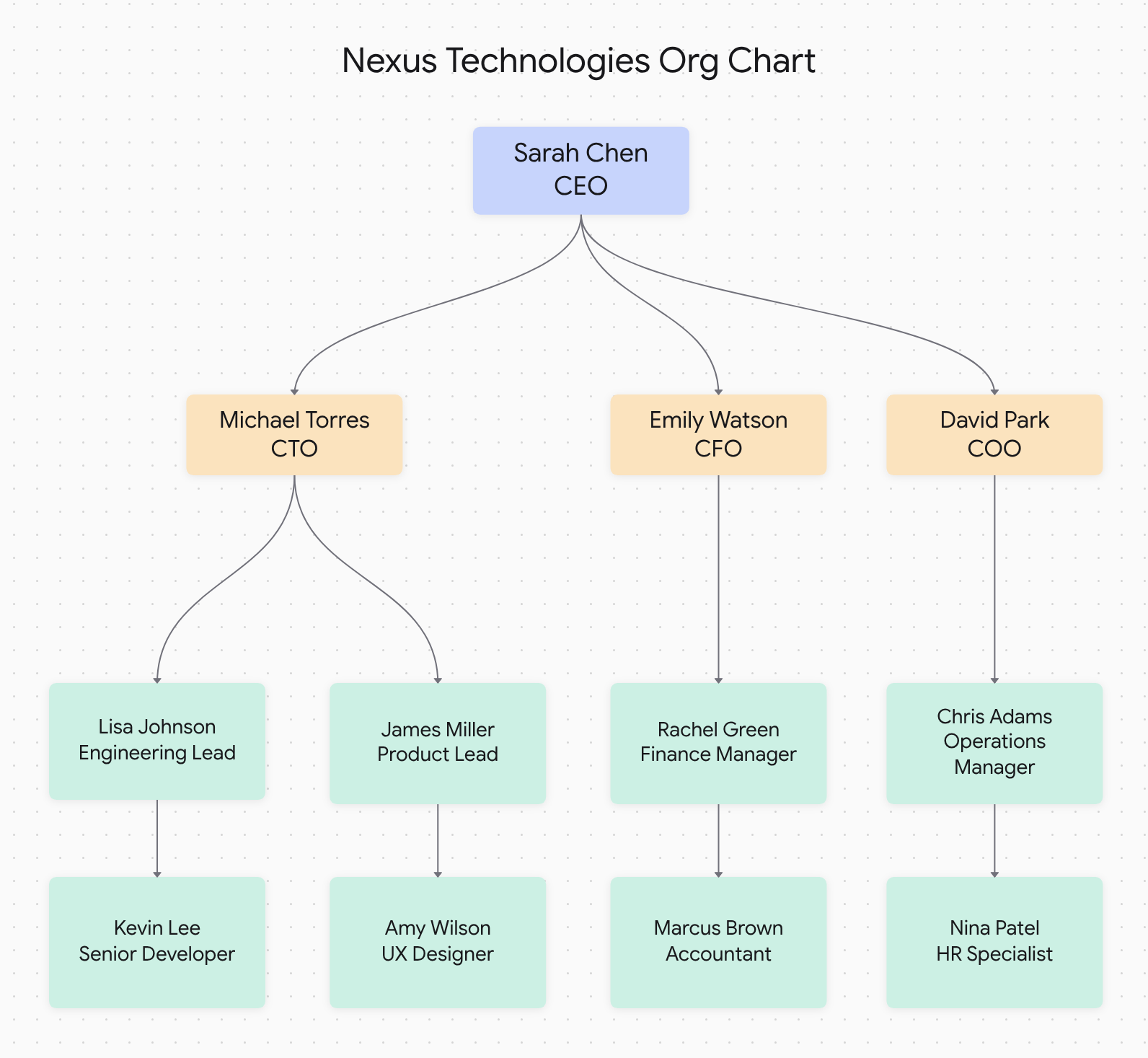
Example: Org chart generated from a PDF company doc
Upload your PDF
Drag and drop or click to upload. The AI extracts the text content and identifies the structure.
Get a diagram
The AI generates a flowchart with connected nodes based on the content in your PDF.
Edit and export
Customize the layout, change colors, then export as PNG, SVG, or PDF.
How to Convert PDF to Flowchart
Three simple steps to transform your PDF documents into visual flowcharts
Upload PDF
Drag and drop your PDF file or click to upload. We support all standard PDF documents including scanned documents with OCR.
AI Processes Content
Our AI extracts text, identifies processes, decision points, and workflow elements, then generates the flowchart structure.
Edit & Export
Review your flowchart, make any adjustments, then export as PNG, SVG, or PDF for presentations and documentation.
Supported PDF Types
Our PDF to flowchart converter works with various document types
Meeting Notes
Transform meeting minutes and action items into visual flowcharts showing decisions, responsibilities, and next steps.
SOPs & Procedures
Convert standard operating procedures from PDF format into clear, step-by-step visual workflows.
Project Documentation
Turn project plans and requirements documents into flowcharts showing dependencies and milestones.
What PDF types work well
Process documentation
SOPs, procedures, and step-by-step guides convert into flowcharts showing the sequence of actions.
Meeting notes
Meeting minutes with action items become visual task flows showing who does what and when.
Organizational docs
Team structures and reporting hierarchies become org charts showing relationships.
Pricing
Which process documents work best?
Docugram is built for the procedures process and operations teams re-document all year.
Standard Operating Procedures (SOPs)
Upload a numbered SOP or work instruction and Docugram maps each step, approval, and decision point into an editable flowchart. Multi-role SOPs render as swimlanes automatically, so hand-offs between owners are explicit. Export the result as PNG, SVG, or PDF for your process library or audit binder.
Procure-to-pay workflows
Turn a procure-to-pay procedure — requisition, purchase order, goods receipt, three-way match, and payment — into a visual flow that shows every approval gate. Docugram separates requester, procurement, and accounts payable into their own lanes so exceptions and escalations are easy to spot. Edit any node and re-export whenever the policy changes.
Order-to-cash procedures
Convert an order-to-cash SOP covering order entry, credit check, fulfillment, invoicing, and cash application into a swimlane diagram. Because sales, the warehouse, and finance each own part of the flow, Docugram draws a lane per role and a decision branch for failed credit checks. The editable diagram becomes a shareable reference for onboarding and process reviews.
Employee onboarding checklists
Drop in an onboarding checklist and Docugram turns the HR, IT, and hiring-manager tasks into a sequenced flowchart with every hand-off drawn between roles. Provisioning steps, access approvals, and first-week milestones become a diagram new managers can actually follow. Update it each cycle and re-export in seconds.
QC / compliance procedures
Upload a quality-control or compliance procedure and Docugram captures each inspection, checkpoint, and pass/fail branch as an editable flowchart. Decision nodes make non-conformance handling and CAPA routing explicit for auditors. Export as PDF to attach to your quality management system or regulatory submission.
Works with process documents in Spanish, German, French, Portuguese, and Japanese.
PDF to Flowchart FAQ
Can I convert PDF to flowchart for free?
Yes! Docugram offers free PDF to flowchart conversion. Upload your PDF document and get a professional flowchart instantly. Our free tier includes multiple conversions to get you started. For unlimited conversions, check our affordable plans.
What types of PDFs work best for flowchart conversion?
Our PDF to flowchart converter works great with meeting notes, SOPs, project documentation, process descriptions, and any PDF containing sequential or procedural information. The AI extracts text and identifies process flows automatically.
Does it work with scanned PDFs?
Yes! Our converter includes OCR (Optical Character Recognition) to extract text from scanned PDF documents. For best results, ensure your scanned PDFs have clear, readable text.
Can I edit the flowchart after conversion?
Absolutely! After converting your PDF to flowchart, you can use our interactive editor to modify nodes, connections, colors, and layout. Make your flowchart perfect for your specific needs.
Try it now
Upload a PDF and get a flowchart. One free try, no sign-in. 3 more after a free account.
Open the editorLooking for more conversion options? Try our flowchart generator from text, explore our AI flowchart generator, or discover our document to diagram converter.