
AI Flowchart Generator
Paste any text and the AI generates a flowchart. Works with process descriptions, meeting notes, SOPs, and documentation of any kind.
Edit the result in your browser, then export as PNG, SVG, or PDF. One free try, no sign-in. 3 more after a free account.
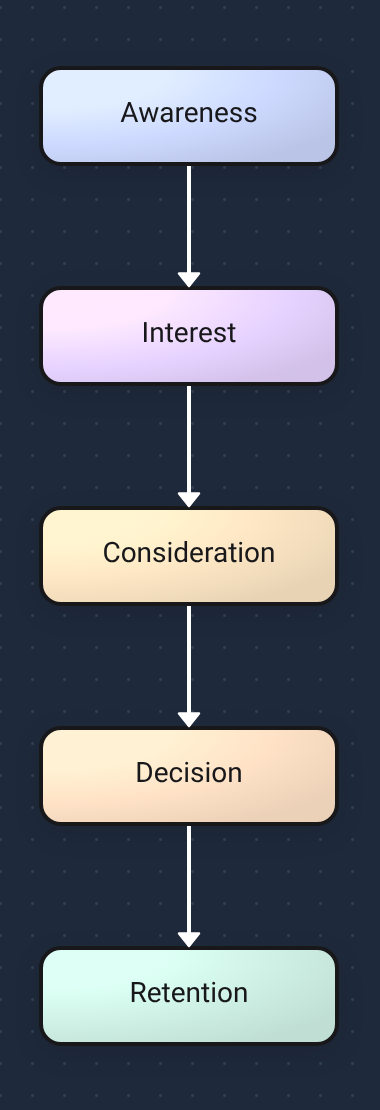
Example: Sales funnel generated from text
AI-Powered Intelligence
Advanced natural language processing understands your content structure and creates perfect flowcharts automatically.
Instant Generation
Transform text into professional flowcharts in seconds. No manual layout or design work required.
Professional Results
Generate publication-ready diagrams with perfect formatting and logical flow structures.
How It Works
Simple 3-step process: paste text → AI generates diagram → edit/share
Paste Text
Simply paste your text, upload a document, or type your content directly into our AI-powered interface.
AI Generates Diagram
Our AI analyzes your content structure, identifies processes and relationships, then creates a professional flowchart.
Edit/Share
Customize your flowchart, collaborate with your team, and export in multiple formats for presentations or documentation.
Why Use Docugram?
Lightning Speed
Generate professional flowcharts in seconds, not hours. Save time on manual diagramming and focus on your content.
Perfect Accuracy
Advanced AI understands context, relationships, and process flows to create logical, well-structured diagrams.
Unlimited Generations
Create as many flowcharts as you need with our generous free tier and affordable premium plans.
Free Tier
Start for free with generous usage limits. No credit card required to begin creating professional flowcharts.
No Credit Card Required
Sign up in seconds and get 3 free generations to try the full editor — no card, no commitment.
Multiple Formats
Export your flowcharts as PNG, SVG, or PDF files. Perfect for presentations, documentation, and sharing. Learn more about export options.
Example Use Cases
See how professionals use AI flowchart generator for documentation, brainstorming, SOPs, and more
Documentation
Transform technical documents and SOPs into clear, visual workflows that teams can follow easily.
Brainstorming
Turn brainstorming sessions and idea lists into structured flowcharts that reveal connections and priorities.
SOPs
Convert standard operating procedures into step-by-step visual guides for improved team alignment.
Looking for specialized tools? Try our process flowchart generator for business workflows, or our SOP flowchart generator for standard operating procedures.
Try it now
Paste your text and get a flowchart. One free try with no sign-in. 3 more on a free account.
Open the editorFAQ
Is Docugram a free AI flowchart generator?
Yes! Docugram is a free AI flowchart generator. Try your first diagram with no sign-in. Create a free account to unlock 3 more free generations. Our free tier lets you experience the full power of AI-driven diagram creation without any cost. For unlimited usage and premium features, upgrade to our Pro plans starting at $5/month.
How many free diagrams can I create?
Try one diagram without signing in. After creating a free account, you get 3 more diagram generations at no cost. This gives you plenty of opportunities to test the quality and see how our AI transforms your text into professional flowcharts. After using your free generations, you can upgrade for unlimited access.
Can I use it online?
Absolutely! Our AI flowchart generator is completely web-based. No downloads or installations required - just open your browser and start creating flowcharts instantly.
Does it work with PDFs?
Yes! You can upload PDF documents and our AI will extract the text content to generate flowcharts. The AI analyzes the document structure and creates appropriate visual diagrams from your PDF content. For more document processing options, try our flowchart generator from text.
Looking for more specific tools? Try our dedicated flowchart generator from text, explore our text to flowchart converter, or discover our text to flowchart converter. Ready for unlimited diagrams? Check out unlimited AI flowchart generations with our premium plans.